Theming
A look themes the desktop in one pass: compositor ring and background,
bar colors, session wallpaper, and (later pieces as they land)
greeter, locker, launcher, terminal, GTK and dark mode. Today the
profile applies the look to the compositor, the bar and the wallpaper —
pick one with look in the desktop profile:
| Look | Ring / background | Wallpaper | |
|---|---|---|---|
music-desk |
blue #3D579A on paper #FCFBFB |
ships | 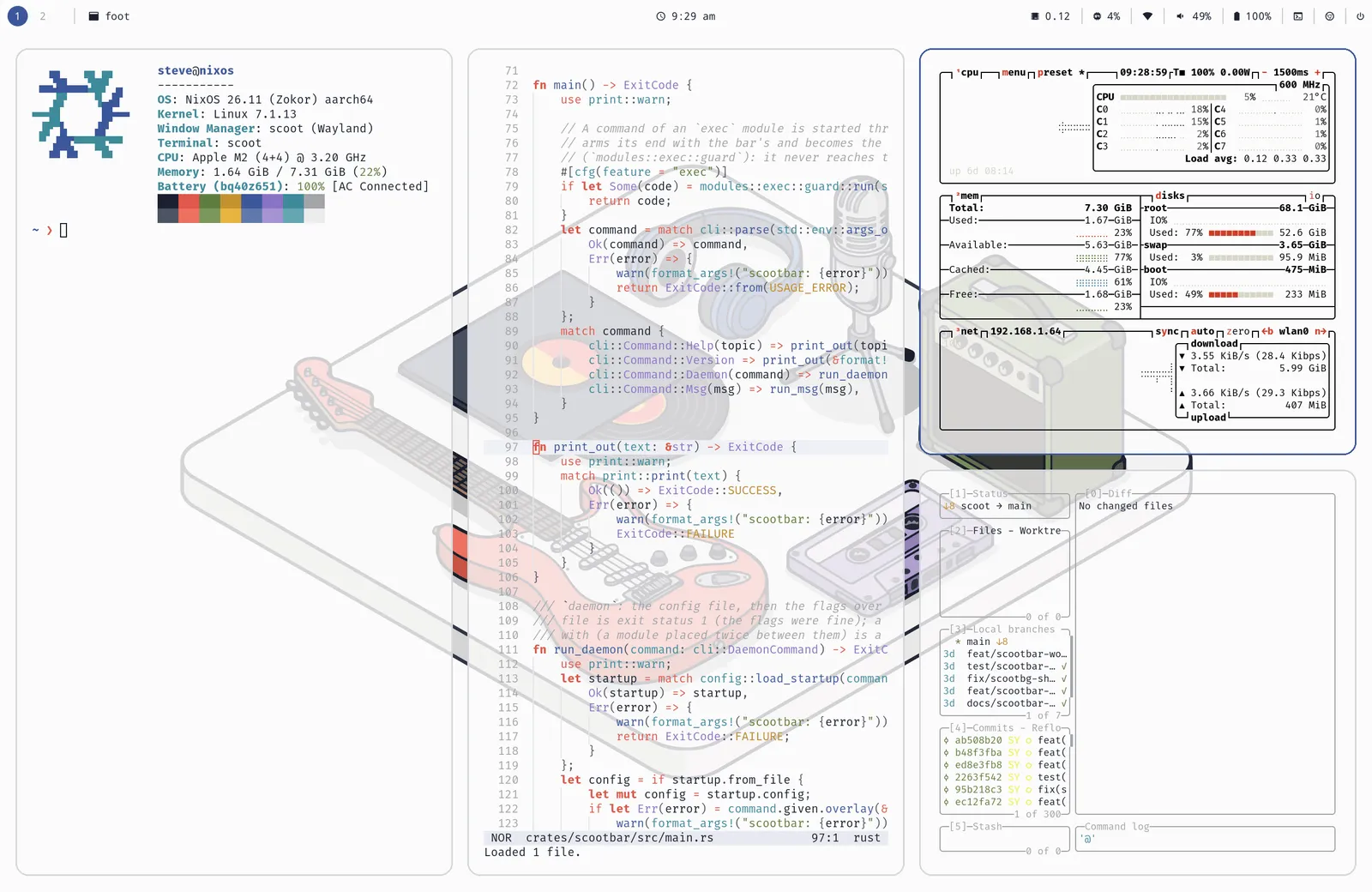 |
radial-burst |
blue #31a9e5 on plum #241721 |
ships | 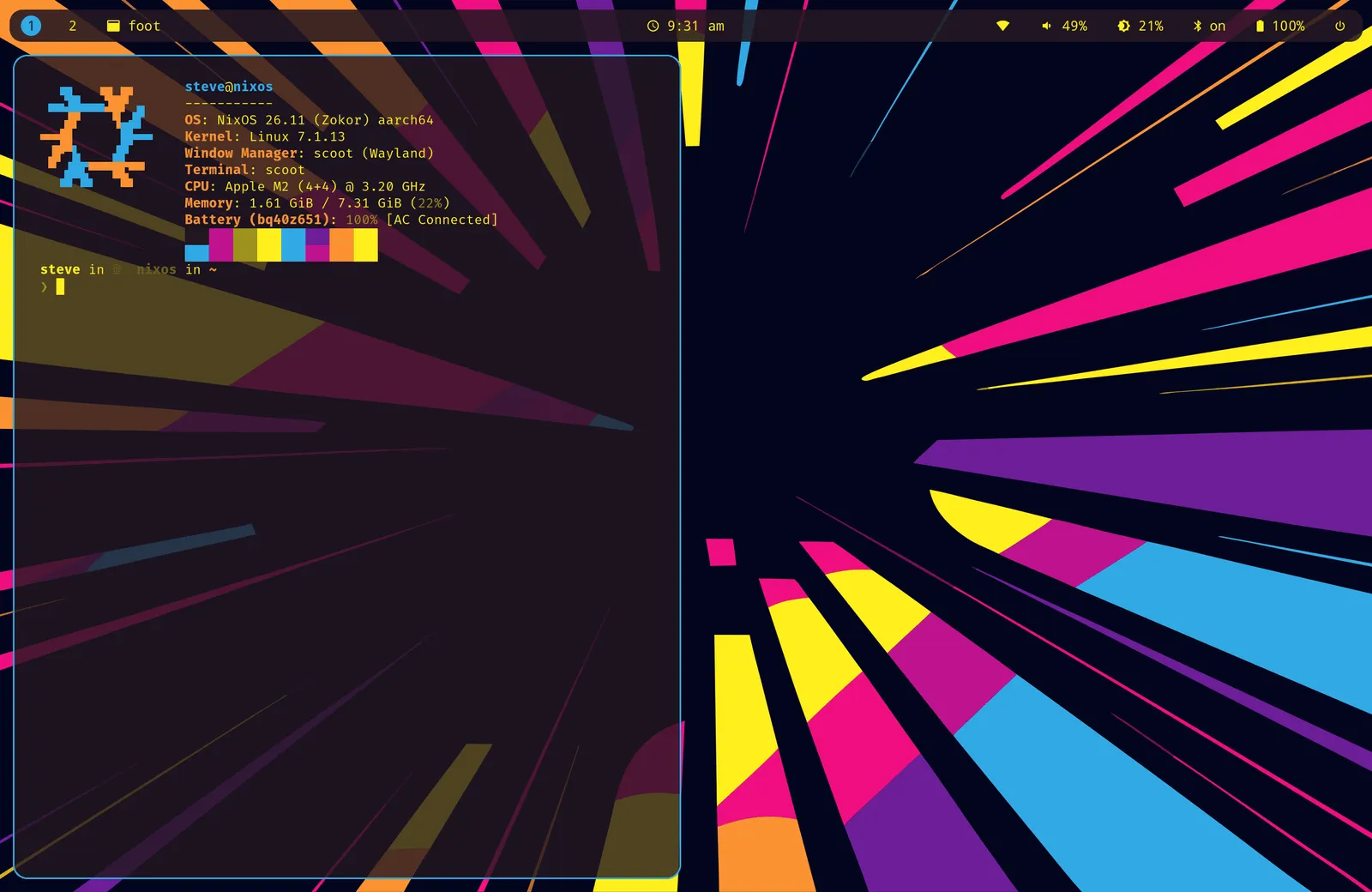 |
moonrise |
amber #FF9A49 on slate navy #2B3648 |
ships | 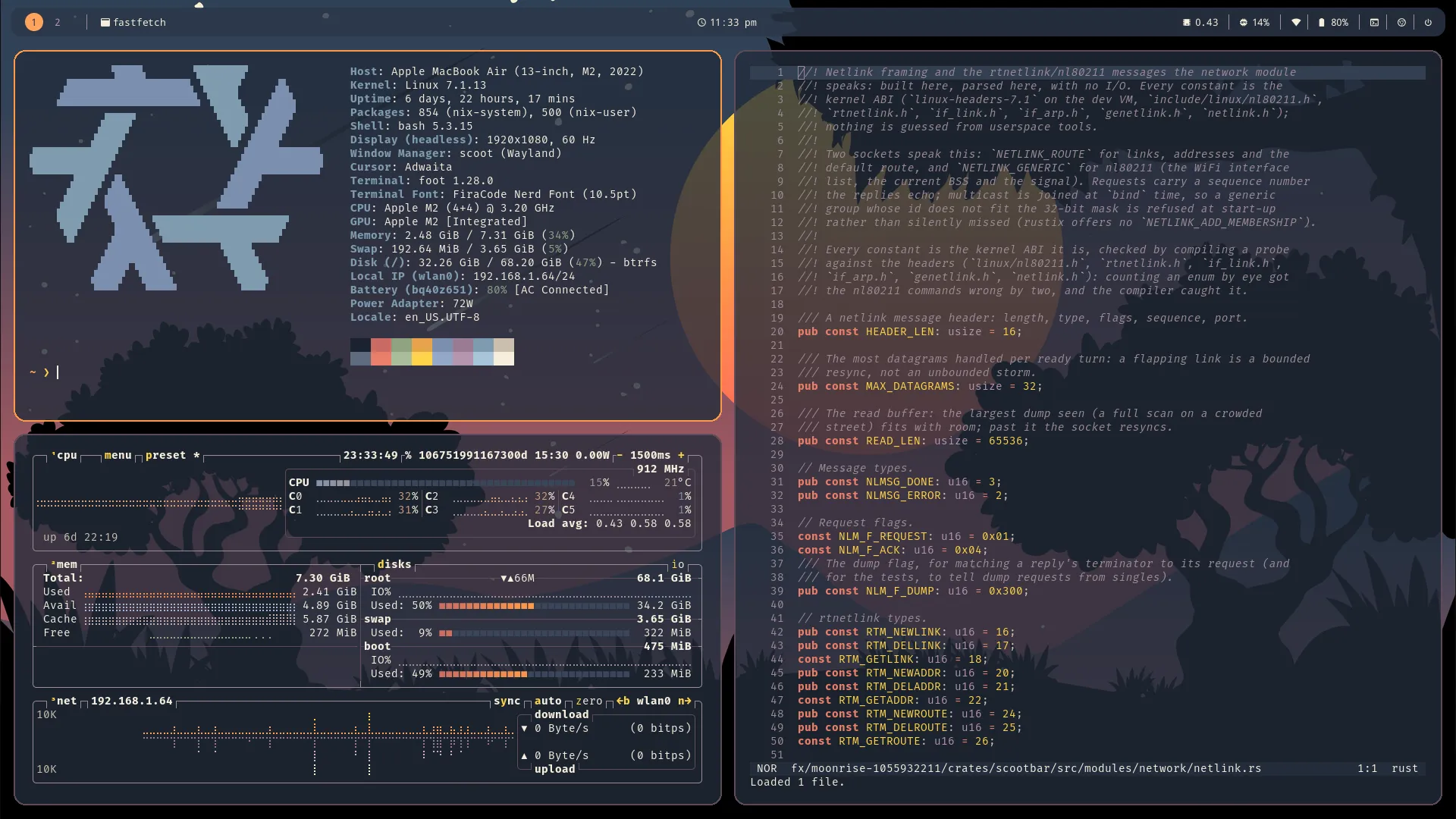 |
vinyl-sunset |
orange #E59560 on espresso #271A1F |
flat color (the illustration is yours to download) | 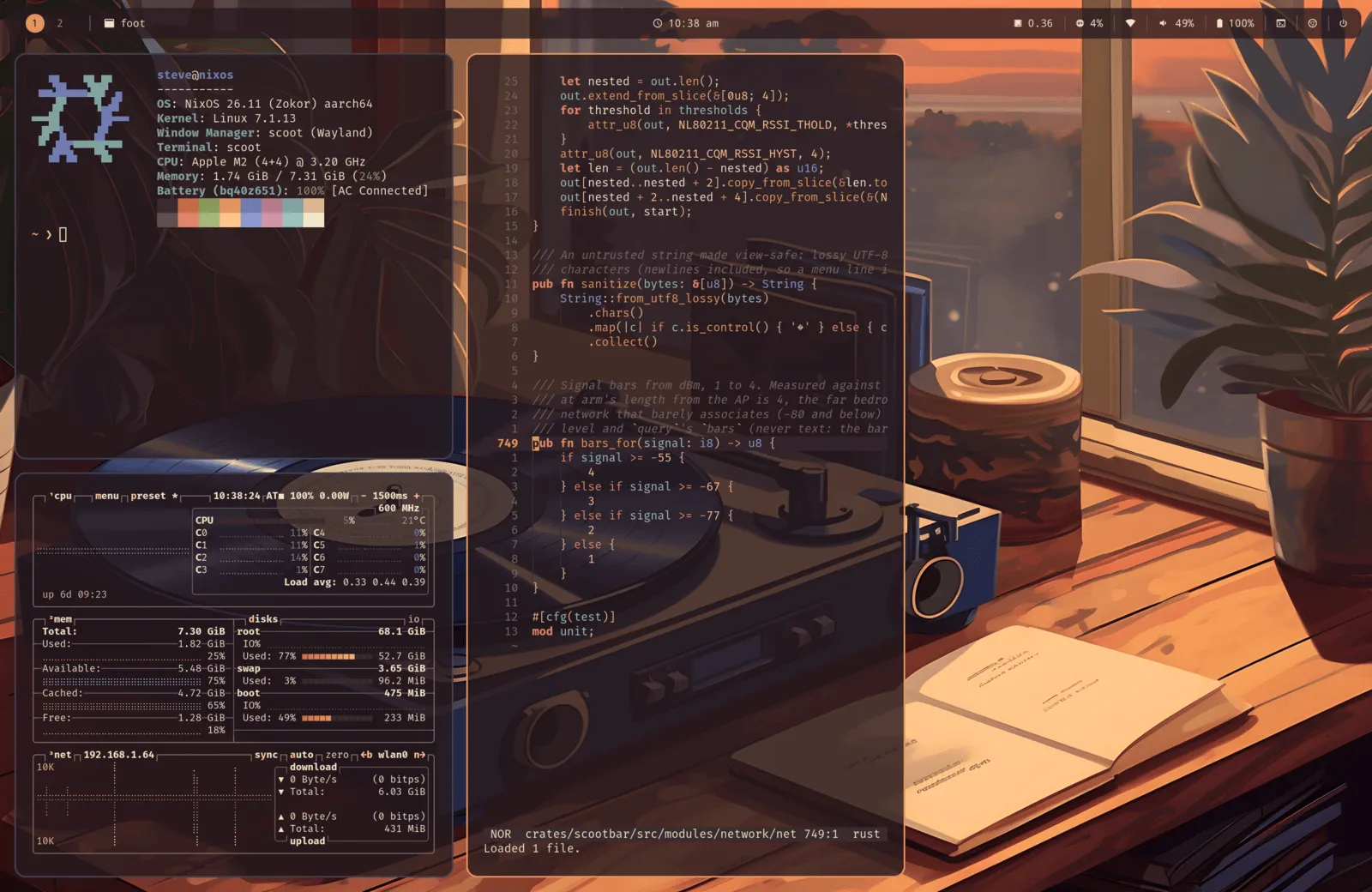 |
(Previews: real screenshots of each example, captured from live
sessions. The vinyl-sunset wallpaper illustration stays under its
Pixabay license — the example’s [wallpaper] table points at a copy
you download, never a committed file.)
Each example is one directory with the same shape — scoot.toml (the
compositor: layout, appearance, binds), bar.toml (the bar),
regreet.css (the login screen), plus terminal and tool configs that
follow the palette:
With Stylix present the look yields per key (your explicit value >
Stylix > the look); look = "auto" matches your own wallpaper the
same way once the theme-look work lands.
Stylix
Section titled “Stylix”When config.lib.stylix exists and stylix.enable is on,
programs.scoot.settings gets defaults from it — the compositor’s
half of a themed desktop, next to the bar’s. The module never imports
Stylix; nothing changes without it, and
programs.scoot.stylix.enable = false turns the defaults off with it
present. (Home-manager only: the NixOS module renders no config file.)
| Setting | From | Notes |
|---|---|---|
appearance.focus_ring_active_color |
base16 base0D |
The focused ring. |
appearance.focus_ring_inactive_color |
base16 base03 |
Every other ring. |
appearance.background_color |
base16 base00 |
The frame clear color. |
appearance.cursor_theme |
stylix.cursor.name |
Only when stylix.cursor is set. |
appearance.cursor_size |
stylix.cursor.size |
Only when stylix.cursor is set. |
wallpaper.image |
stylix.image |
Only when set; setting it is what turns wallpaper.enable on. |
wallpaper.mode |
stylix.imageScalingMode |
Only when set (fill, fit, stretch, center, tile). |
Precedence per key: your settings value, then Stylix’s, then the
compositor default. One combination is invalid: your own
wallpaper.color plus Stylix’s image (scoot takes image or
color, never both) — for a solid color under Stylix, set
programs.scoot.stylix.wallpaper.enable = false, set your own
image, or turn stylix.enable off. cursor_color has no Stylix
convention and stays at the compositor default.
Make a look
Section titled “Make a look”A look is data, so new ones are cheap: one directory with the same
shape as the four above — palette, scoot.toml, bar.toml,
regreet.css, and a wallpaper (an image, or a palette color for a
license-clean look like vinyl-sunset’s flat espresso). Per-target
opt-out is Stylix-style, under one namespace, one flag per themed
piece (every target defaults on):
programs.scoot.desktop.theme.targets.lock.enable = false; # keep swaylock's own styledesktop.bar.enable keeps its meaning (“manage the bar at all”) and
is never a theme switch. Where looks are headed (the standing
direction, not all of it shipped): the look list reads from a
registry rather than a hand-written enum, so adding a look means
adding its directory and a check renders every look into every
target; look = "auto" matches your own wallpaper; and a user-passed
look (a path or attrset with the same shape) works the same way.
look only ever gains values — existing configs keep working.