
Clipboard
Copy in one window, close it, and the paste still works: every copy lands in a history kept by cliphist, restorable with one keypress. Without this slot, a copy dies with the app that offered it, which reads as data loss. Agents move text through the clipboard constantly, so the profile turns it on.
programs.scoot.desktop = { enable = true; # A longer tail in a moved db: # clipboard.maxItems = 250; # clipboard.dbPath = "/home/you/.cache/cliphist-test/db"; # No history at all on this box (each switch below is its own): # clipboard.enable = false;};What runs: two watcher units (regular clipboard and primary selection,
in scoot-session., so no other desktop starts them), each a
wl-paste --watch feeding one shared history, plus
wl-copy/wl-paste on PATH.
The history keeps 100 entries by default
(oldest dropped first, each entry at most 5 MB), byte-for-byte:
trailing newlines survive, and so do images. Press Super+v and the
picker shows the newest first; Enter restores the picked entry to the
clipboard, then paste as usual:
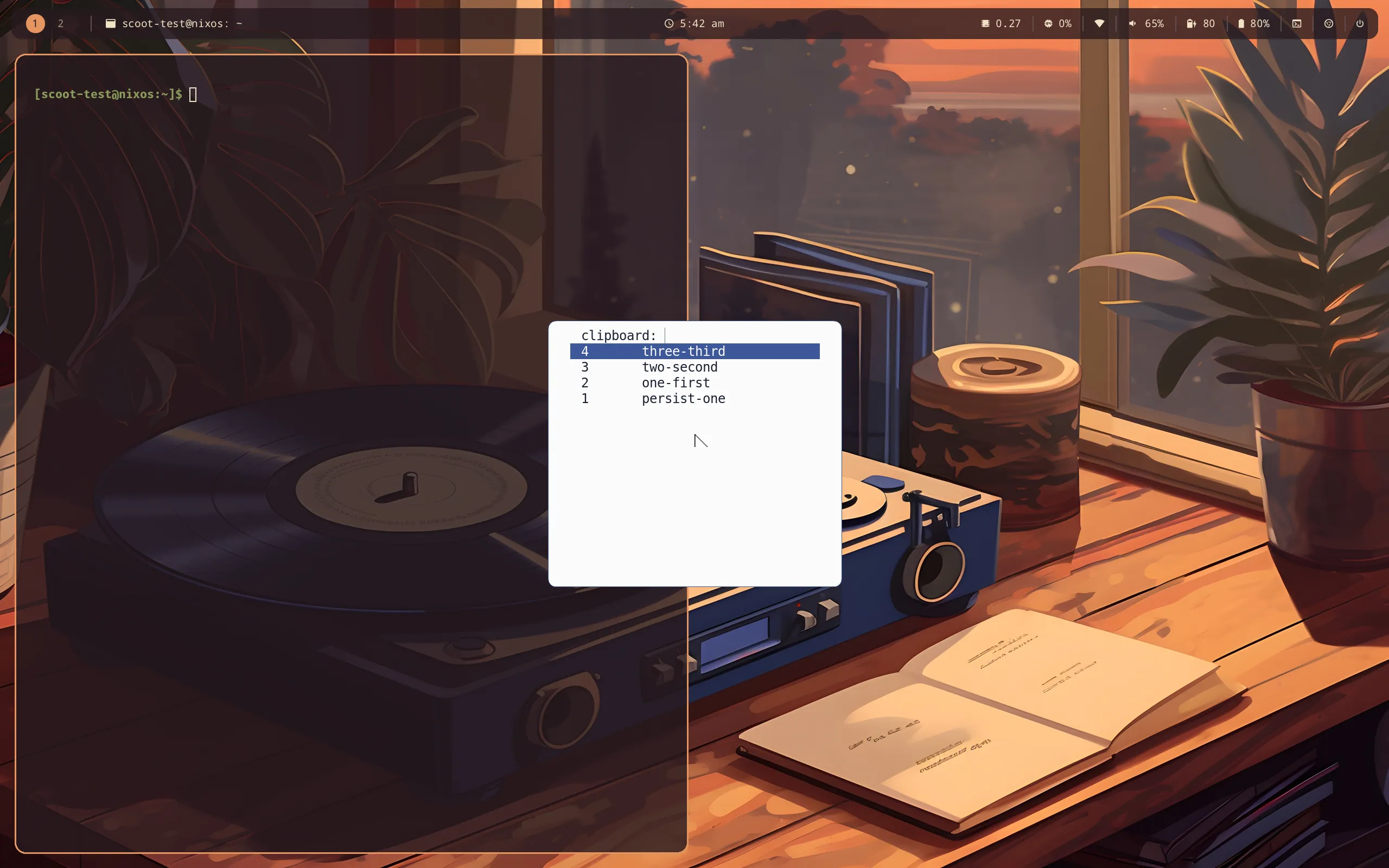
Wayland selections are owner-held: the history survives the source app
closing (and a reboot, since it lives in a db on disk), while the live
selection still dies with its owner. So Ctrl+v right after closing
the source finds nothing. Open the picker, press Enter, paste.
Password-manager copies never land in history: such an offer carries
the x-kde-passwordManagerHint MIME type, for which the watcher stores
nothing. Managers that do not set the hint are not excluded, so treat
the history as sensitive-adjacent anyway. Try it: wl-copy --sensitive copies, and the history stays empty.
Over the session lock, two things happen: the history is wiped as the
session locks (pre-lock copies never sit on disk behind the lock
screen), and nothing copied during the lock is recorded. Without the
idle policy there is no lock event, so a standalone clipboard wipes
manually (cliphist wipe). The db lives at cliphist’s default
(~/., honoring XDG_CACHE_HOME) unless dbPath
moves it. It is on disk, so history survives reboots, and any process
running as your user can read the db file. Password-manager copies
never land there, the lock wipes it every lock, and wipe empties it
any time. The db is not encrypted at rest.
Every value is an option, applied on rebuild/switch (the units restart into the new config; no re-login):
| Option | Type | Default | Meaning |
|---|---|---|---|
desktop. |
bool | true with the profile |
keep history (two watcher units), wl-copy/wl-paste on PATH, the picker bind |
desktop. |
int (at least 1) | 100 |
history entries kept, oldest dropped first |
desktop. |
string or null | null (cliphist’s default) |
history db path: absolute, letters, digits and . only; anything else fails evaluation |
desktop. |
bool | true |
theme the picker from the look; false keeps the menu’s own style |
Troubleshooting, by symptom:
- Close the app and the paste is empty. That is the live selection,
not the history: open the picker (
Super+v), Enter on the entry, paste. If the picker is empty too, the watcher never stored it:systemctl --user status scoot-clipboard-store(and-primary-store), thencliphist list. Super+vopens nothing. The slot renders that bind only withclipboard.beside the keymap (both on with the profile). Then check the menu:enable scootlaunch --dmenufrom a terminal. With an empty history it exits at once, which is the picker staying quiet, not an error.- Escape clears my clipboard. It does not: a cancelled pick exits
before
wl-copyruns. If the selection changed anyway, another manager runs beside this one; only one watcher per selection should run. - A password is in the history. The offering app did not set the
hint: delete it (
cliphist list | scootlaunch --dmenu | cliphist delete, orwipefor all of it) and tell the app to set it. - Copies made while locked are in the history. The store entry’s
probe failed open: check
scoot-clipboard-storeand the compositor’s socket. The wipe still ran at lock, so pre-lock entries are gone regardless. - Two pickers / two histories. Another manager runs beside this one; only one should. Turn this one off or uninstall the other.